 Draften
See the edit. Then make it yours.
Draften offers editing assistance inside the document. It keeps the original and the proposal visible so the writer can judge each change.
From selection to suggestion
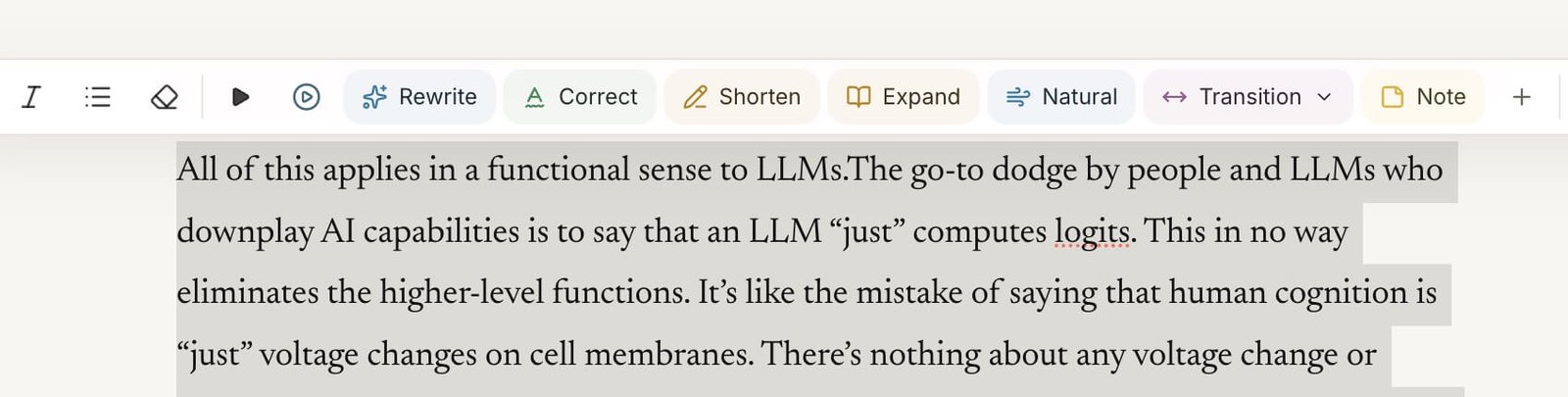
Select a passage and choose an action such as Rewrite, Correct, Shorten, Expand or Transition. Draften asks the AI provider to produce a proposed change. The context sent depends on the action and can include nearby text or more of the document when needed. Nothing is sent for an AI action until you run it.
Compare before you commit
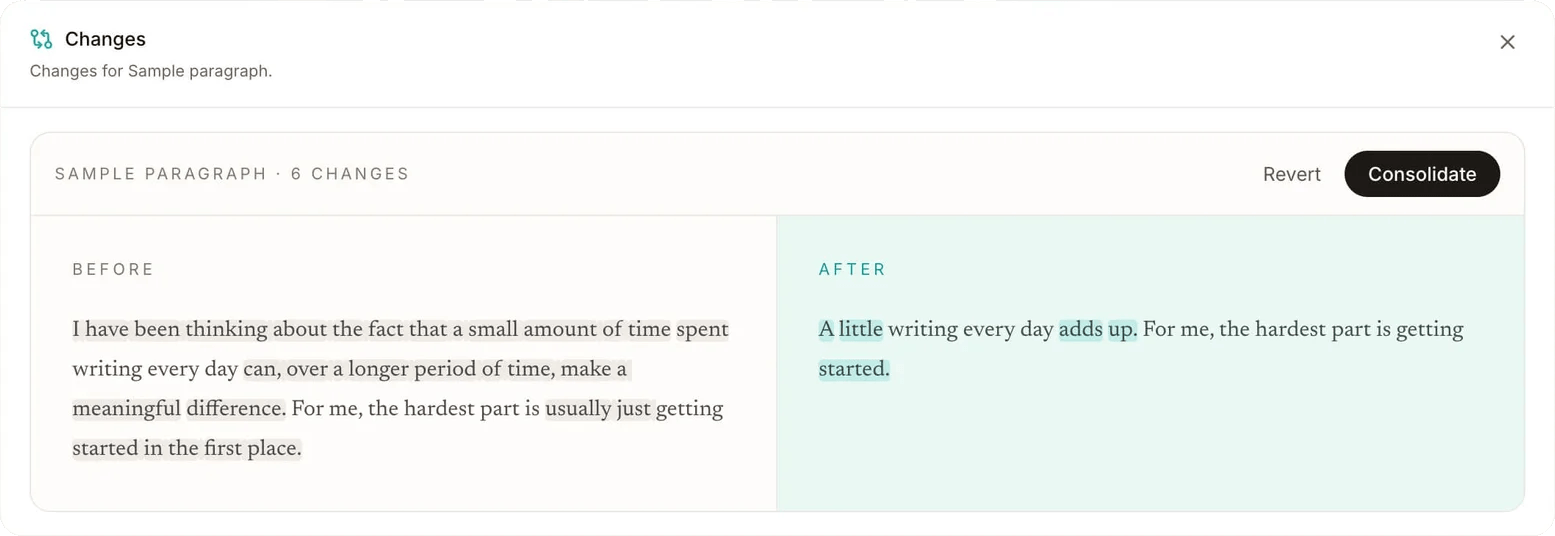
The Changes view places the original and proposed wording side by side. It highlights what moved or changed. You can revert a proposal or consolidate it into your draft. This gives you a concrete review step instead of asking you to trust a generated replacement.
Use AI for a specific job
Ask for clarity, wording or structure where a passage needs work. The document is still yours to edit directly at any time. Draften does not operate as an always-on chat overlay.
Understand the limits
AI suggestions can miss intent or introduce errors. Read the proposal, check facts and preserve the voice that matters to you. Draften provides review controls; it does not guarantee a correct edit.
What happens to your text?
Documents are saved and synced through Draften’s server. When you request an AI action, the server sends the needed text to OpenAI for processing. The browser may retain unsent changes temporarily if your connection drops. See privacy and data handling for the scope and limitations of these claims.